 USD
USD EUR
EUR GBP
GBP CAD
CAD AUD
AUD HKD
HKD JPY
JPY KRW
KRW SGD
SGD NZD
NZD THB
THB TWD
TWD English
 日本語
日本語 한국어
한국어 Français
 Español
 Português
 Nederlands
 繁體中文
繁體中文
By DIGIBox TV Box | 31 August 2026 | 0 Comments
DIGIBox D6 Max Review: A Versatile Android TV Box for Streaming and Home Entertainment
If you are looking for an Android TV Box that combines streaming, Android apps, local media playback, and network storage support, the DIGIBox D6 Max is worth a closer look.
With 4GB of RAM, 64GB of internal storage, Wi-Fi 6, Gigabit Ethernet, Bluetooth 5.4, Google Play Store access, and support for Jellyfin and NAS media libraries, the DIGIBox D6 Max is designed to be more than a basic streaming player.
In this DIGIBox D6 Max review, we take a closer look at its design, specifications, setup, connectivity, streaming experience, app support, Jellyfin performance, and remote control features.
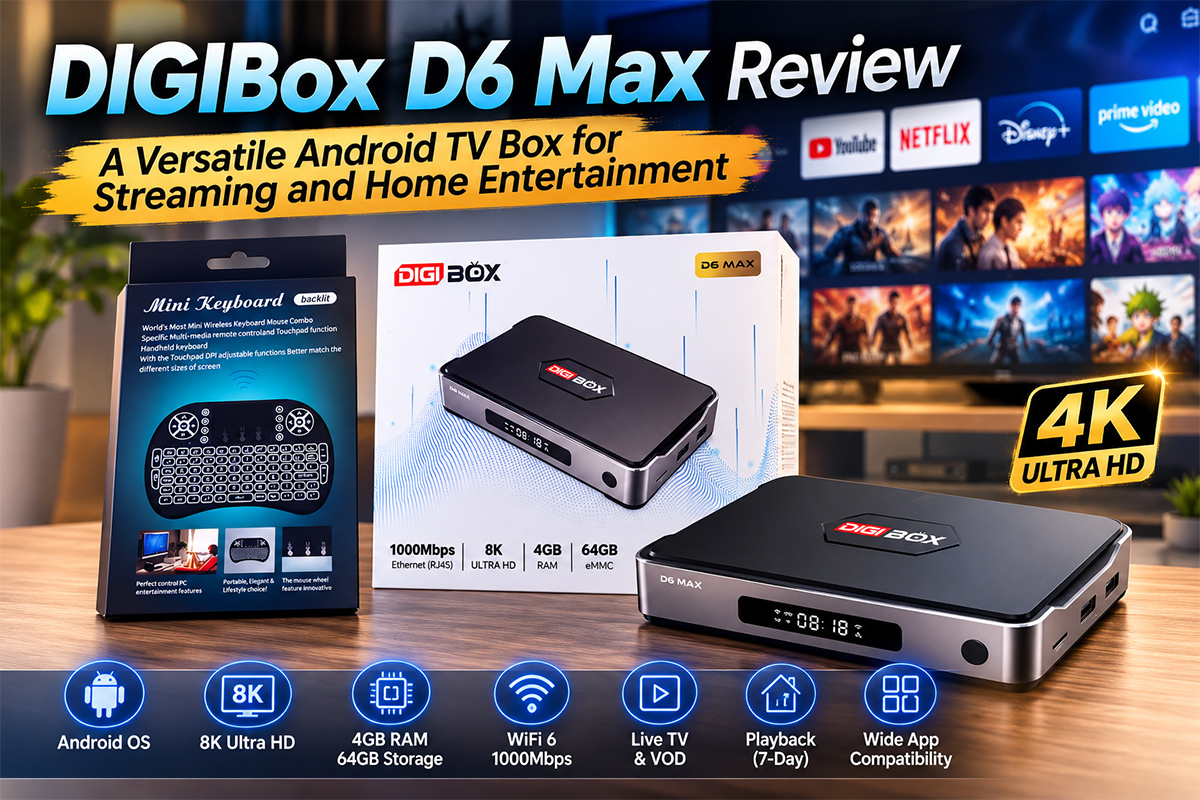
DIGIBox D6 Max Specifications
The DIGIBox D6 Max combines a compact design with a practical selection of hardware and connectivity options.
Key Specifications
Android 12
Quad-core ARM Cortex-A53 processor
4GB RAM
64GB internal storage
Micro SD card expansion
Wi-Fi 6
Bluetooth 5.4
Gigabit Ethernet
HDMI output
Optical audio output
AV output
Multiple USB 2.0 ports
USB-C power input
Bluetooth voice remote
Air Mouse function
Backlit remote buttons
With this configuration, the D6 Max can handle everyday streaming, Android applications, local media playback, and network-based entertainment.
Compact Design and Multiple Connectivity Options
The DIGIBox D6 Max has a compact and modern design that can easily fit next to a TV, projector, or monitor.
Its wide selection of ports makes it convenient for different home entertainment setups.
The device includes Gigabit Ethernet for wired networking, HDMI for video output, optical audio for compatible sound systems, AV output, USB ports for accessories, and a Micro SD card slot for additional storage.
The multiple USB ports can also be used with external keyboards, mice, and USB storage devices.
This makes the D6 Max a flexible choice for users who want to connect more than just a TV.
Easy DIGIBox D6 Max Setup
Setting up the DIGIBox D6 Max is straightforward.
After connecting the device to a display and power source, users can pair the included Bluetooth remote and follow the on-screen setup instructions.
The initial setup allows you to configure the time zone, date format, and network connection.
Both Wi-Fi 6 and Gigabit Ethernet are available, so you can choose the connection method that best fits your home network.
Once setup is complete, the main interface provides access to applications, network settings, Bluetooth, file management, memory management, wallpapers, system updates, and other configuration options.
Wi-Fi 6 and Gigabit Ethernet for Smooth Streaming
A reliable network connection is important for an Android TV Box, especially when streaming high-quality video or accessing media stored on a home network.
The DIGIBox D6 Max supports Wi-Fi 6 as well as Gigabit Ethernet.
During testing, the device was connected to a 2.5Gbps home network. While the D6 Max uses a Gigabit Ethernet connection, the available network performance was more than sufficient for normal streaming.
For most users, Gigabit Ethernet and Wi-Fi 6 provide plenty of bandwidth for everyday HD and 4K streaming, depending on the streaming service and internet connection.
Google Play Store and Android Apps
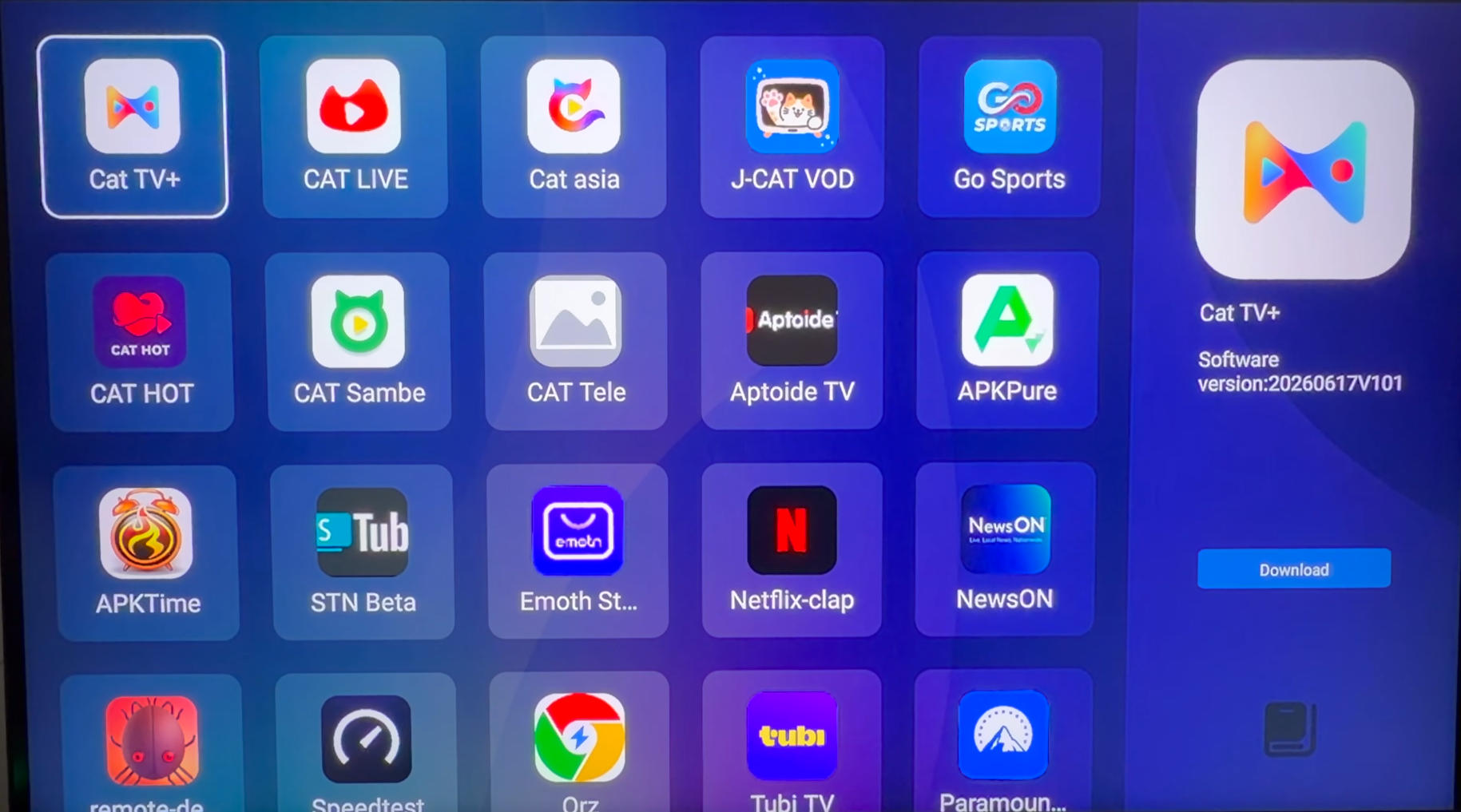
One of the key advantages of the DIGIBox D6 Max is its access to the Google Play Store.
Instead of being limited to a small selection of pre-installed applications, users can install additional Android apps according to their needs.
During testing, the Google Play Store provided access to popular entertainment applications such as Crunchyroll, Paramount+, Fandango, Sling, Fubo, STARZ, HBO Max, PBS Kids, and many others.
The D6 Max also includes its own app store, giving users another way to discover applications and entertainment services.
This combination makes the device much more flexible than a simple dedicated streaming player.
Netflix and YouTube Streaming
The DIGIBox D6 Max was also tested with popular streaming services.
Netflix was successfully installed and used during the test, while YouTube provided access to subscriptions, favorites, and regular YouTube content.
For users who want a single device for everyday streaming and Android applications, the D6 Max provides a convenient entertainment platform.
Jellyfin and NAS Support for Local Media
One of the more interesting features tested on the DIGIBox D6 Max was its ability to access a home media server.
Jellyfin was installed through the Google Play Store and connected to a LinkStation NAS.
After entering the server information and connecting to the Jellyfin account, the D6 Max was able to access movies stored on the NAS.
Different video files were tested, including 1080p content and standard-definition videos. The tested files played successfully, with normal playback, fast-forwarding, and resume functions working properly.
For users who maintain a personal movie or TV collection on a NAS, the DIGIBox D6 Max can therefore serve as a convenient interface for accessing that library on a TV.
USB Keyboard and Mouse Support
The D6 Max also supports external keyboards and mice.
During testing, wireless USB keyboard and mouse receivers were connected through the USB ports and worked properly.
This is particularly useful when entering passwords, searching for applications, browsing the web, managing files, or using Android applications that are easier to navigate with a mouse.
It also gives the D6 Max a more computer-like experience when needed.
Air Mouse and Bluetooth Voice Remote
The included Bluetooth voice remote offers more than traditional navigation.
The remote features an Air Mouse function, allowing users to move a cursor around the screen.
This can be useful when navigating applications that are not optimized for standard TV remote controls.
The remote also features backlit buttons, making it easier to use in a darker room.
Users can switch between Air Mouse mode and standard navigation depending on the application.
A Flexible Android TV Box for Home Entertainment
The DIGIBox D6 Max can be used for much more than basic online streaming.
Its combination of Android apps, external storage support, USB connectivity, network connectivity, and local media compatibility gives users plenty of options.
The D6 Max can be used for:
Online video streaming
YouTube
Netflix
Android applications
Local media playback
Jellyfin
NAS media libraries
Web browsing
Screen casting
External keyboard and mouse use
Home entertainment systems
TV and projector setups
This flexibility makes it suitable for users who want to build a more complete home entertainment system around an Android TV Box.
DIGIBox D6 Max Review: Final Verdict
After testing the DIGIBox D6 Max, several features stand out.
Its 4GB RAM and 64GB storage provide a solid foundation for everyday Android applications, while Wi-Fi 6 and Gigabit Ethernet offer flexible networking options.
The Google Play Store expands the available applications, while Jellyfin and NAS support make the D6 Max particularly interesting for users with their own local media collections.
The multiple USB ports, Micro SD card slot, Air Mouse remote, and external keyboard and mouse support further increase its versatility.
Overall, the DIGIBox D6 Max is a capable Android TV streaming box for users who want streaming services, Android applications, and personal media playback in one device.
Get the DIGIBox D6 Max Today
Ready to upgrade your home entertainment setup?
The DIGIBox D6 Max combines powerful Android features, flexible connectivity, streaming applications, and local media support in one compact device.
For a limited time, you can also get two free gifts with your purchase:
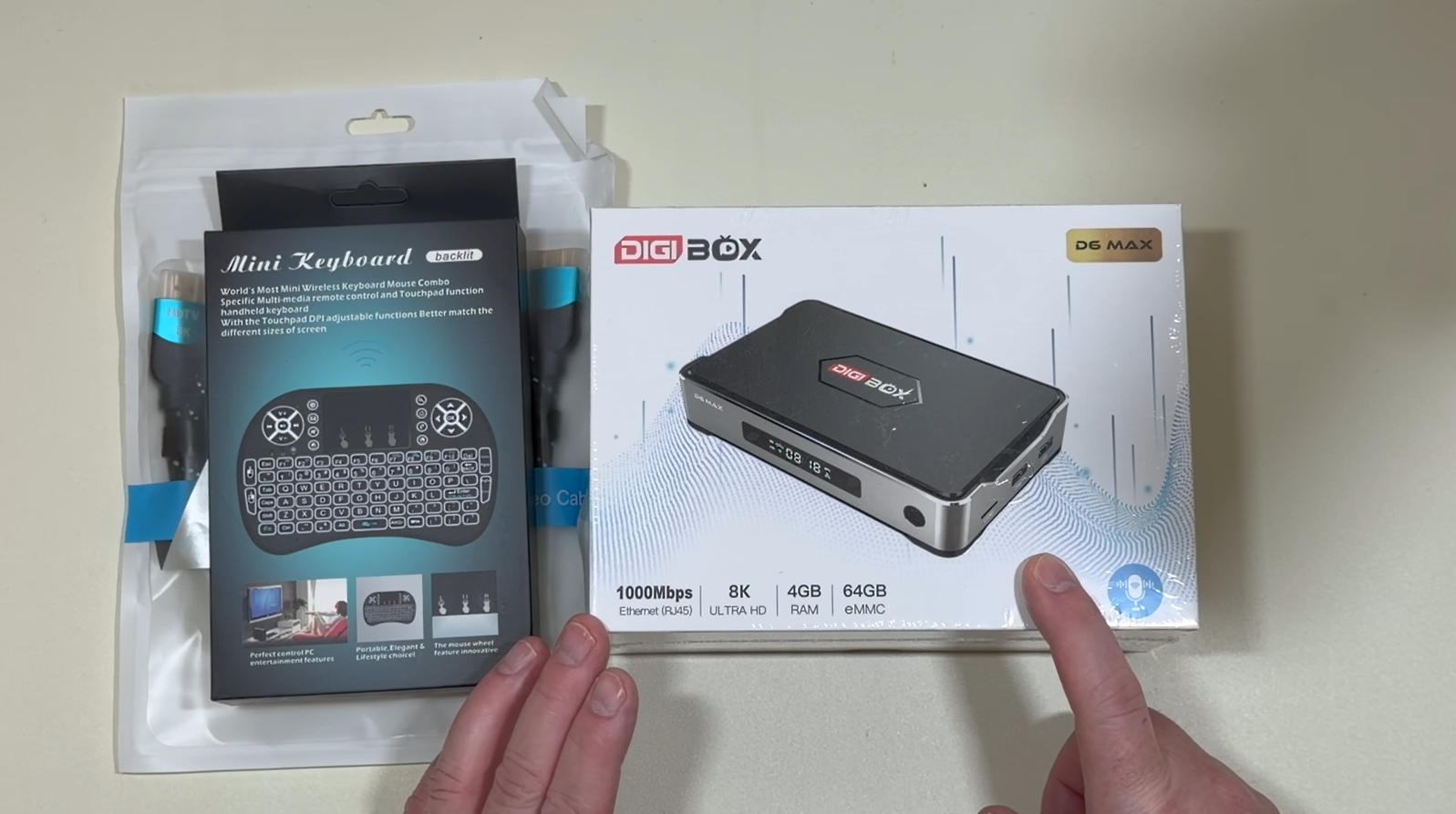
? Mini wireless keyboard with trackpad
? HDMI 2.1 cable supporting 8K
? Check the DIGIBox D6 Max product page for the latest price, available promotion, and ordering information.
Whether you want to stream online content, install Android apps, access your Jellyfin media library, or connect your own accessories, the DIGIBox D6 Max gives you a flexible way to turn your TV into a more capable entertainment system.
With 4GB of RAM, 64GB of internal storage, Wi-Fi 6, Gigabit Ethernet, Bluetooth 5.4, Google Play Store access, and support for Jellyfin and NAS media libraries, the DIGIBox D6 Max is designed to be more than a basic streaming player.
In this DIGIBox D6 Max review, we take a closer look at its design, specifications, setup, connectivity, streaming experience, app support, Jellyfin performance, and remote control features.
DIGIBox D6 Max Specifications
The DIGIBox D6 Max combines a compact design with a practical selection of hardware and connectivity options.
Key Specifications
Android 12
Quad-core ARM Cortex-A53 processor
4GB RAM
64GB internal storage
Micro SD card expansion
Wi-Fi 6
Bluetooth 5.4
Gigabit Ethernet
HDMI output
Optical audio output
AV output
Multiple USB 2.0 ports
USB-C power input
Bluetooth voice remote
Air Mouse function
Backlit remote buttons
With this configuration, the D6 Max can handle everyday streaming, Android applications, local media playback, and network-based entertainment.
Compact Design and Multiple Connectivity Options
The DIGIBox D6 Max has a compact and modern design that can easily fit next to a TV, projector, or monitor.
Its wide selection of ports makes it convenient for different home entertainment setups.
The device includes Gigabit Ethernet for wired networking, HDMI for video output, optical audio for compatible sound systems, AV output, USB ports for accessories, and a Micro SD card slot for additional storage.
The multiple USB ports can also be used with external keyboards, mice, and USB storage devices.
This makes the D6 Max a flexible choice for users who want to connect more than just a TV.
Easy DIGIBox D6 Max Setup
Setting up the DIGIBox D6 Max is straightforward.
After connecting the device to a display and power source, users can pair the included Bluetooth remote and follow the on-screen setup instructions.
The initial setup allows you to configure the time zone, date format, and network connection.
Both Wi-Fi 6 and Gigabit Ethernet are available, so you can choose the connection method that best fits your home network.
Once setup is complete, the main interface provides access to applications, network settings, Bluetooth, file management, memory management, wallpapers, system updates, and other configuration options.
Wi-Fi 6 and Gigabit Ethernet for Smooth Streaming
A reliable network connection is important for an Android TV Box, especially when streaming high-quality video or accessing media stored on a home network.
The DIGIBox D6 Max supports Wi-Fi 6 as well as Gigabit Ethernet.
During testing, the device was connected to a 2.5Gbps home network. While the D6 Max uses a Gigabit Ethernet connection, the available network performance was more than sufficient for normal streaming.
For most users, Gigabit Ethernet and Wi-Fi 6 provide plenty of bandwidth for everyday HD and 4K streaming, depending on the streaming service and internet connection.
Google Play Store and Android Apps
One of the key advantages of the DIGIBox D6 Max is its access to the Google Play Store.
Instead of being limited to a small selection of pre-installed applications, users can install additional Android apps according to their needs.
During testing, the Google Play Store provided access to popular entertainment applications such as Crunchyroll, Paramount+, Fandango, Sling, Fubo, STARZ, HBO Max, PBS Kids, and many others.
The D6 Max also includes its own app store, giving users another way to discover applications and entertainment services.
This combination makes the device much more flexible than a simple dedicated streaming player.
Netflix and YouTube Streaming
The DIGIBox D6 Max was also tested with popular streaming services.
Netflix was successfully installed and used during the test, while YouTube provided access to subscriptions, favorites, and regular YouTube content.
For users who want a single device for everyday streaming and Android applications, the D6 Max provides a convenient entertainment platform.
Jellyfin and NAS Support for Local Media
One of the more interesting features tested on the DIGIBox D6 Max was its ability to access a home media server.
Jellyfin was installed through the Google Play Store and connected to a LinkStation NAS.
After entering the server information and connecting to the Jellyfin account, the D6 Max was able to access movies stored on the NAS.
Different video files were tested, including 1080p content and standard-definition videos. The tested files played successfully, with normal playback, fast-forwarding, and resume functions working properly.
For users who maintain a personal movie or TV collection on a NAS, the DIGIBox D6 Max can therefore serve as a convenient interface for accessing that library on a TV.
USB Keyboard and Mouse Support
The D6 Max also supports external keyboards and mice.
During testing, wireless USB keyboard and mouse receivers were connected through the USB ports and worked properly.
This is particularly useful when entering passwords, searching for applications, browsing the web, managing files, or using Android applications that are easier to navigate with a mouse.
It also gives the D6 Max a more computer-like experience when needed.
Air Mouse and Bluetooth Voice Remote
The included Bluetooth voice remote offers more than traditional navigation.
The remote features an Air Mouse function, allowing users to move a cursor around the screen.
This can be useful when navigating applications that are not optimized for standard TV remote controls.
The remote also features backlit buttons, making it easier to use in a darker room.
Users can switch between Air Mouse mode and standard navigation depending on the application.
A Flexible Android TV Box for Home Entertainment
The DIGIBox D6 Max can be used for much more than basic online streaming.
Its combination of Android apps, external storage support, USB connectivity, network connectivity, and local media compatibility gives users plenty of options.
The D6 Max can be used for:
Online video streaming
YouTube
Netflix
Android applications
Local media playback
Jellyfin
NAS media libraries
Web browsing
Screen casting
External keyboard and mouse use
Home entertainment systems
TV and projector setups
This flexibility makes it suitable for users who want to build a more complete home entertainment system around an Android TV Box.
DIGIBox D6 Max Review: Final Verdict
After testing the DIGIBox D6 Max, several features stand out.
Its 4GB RAM and 64GB storage provide a solid foundation for everyday Android applications, while Wi-Fi 6 and Gigabit Ethernet offer flexible networking options.
The Google Play Store expands the available applications, while Jellyfin and NAS support make the D6 Max particularly interesting for users with their own local media collections.
The multiple USB ports, Micro SD card slot, Air Mouse remote, and external keyboard and mouse support further increase its versatility.
Overall, the DIGIBox D6 Max is a capable Android TV streaming box for users who want streaming services, Android applications, and personal media playback in one device.
Get the DIGIBox D6 Max Today
Ready to upgrade your home entertainment setup?
The DIGIBox D6 Max combines powerful Android features, flexible connectivity, streaming applications, and local media support in one compact device.
For a limited time, you can also get two free gifts with your purchase:
? Mini wireless keyboard with trackpad
? HDMI 2.1 cable supporting 8K
? Check the DIGIBox D6 Max product page for the latest price, available promotion, and ordering information.
Whether you want to stream online content, install Android apps, access your Jellyfin media library, or connect your own accessories, the DIGIBox D6 Max gives you a flexible way to turn your TV into a more capable entertainment system.